
Contact Support
We are here to assist you with your Thrissur Gold Digital Passbook, installment records, scheme details, and customer account inquiries.
Direct Contact Channels
Customer Helpline
Call our store branch directly for instant assistance with your passbook.
WhatsApp Helpline
Send us a message on WhatsApp for quick inquiries regarding your scheme.
Store Hours & Location
Official Scheme UPI Payment
Scan using any UPI application to deposit monthly savings scheme instalments.
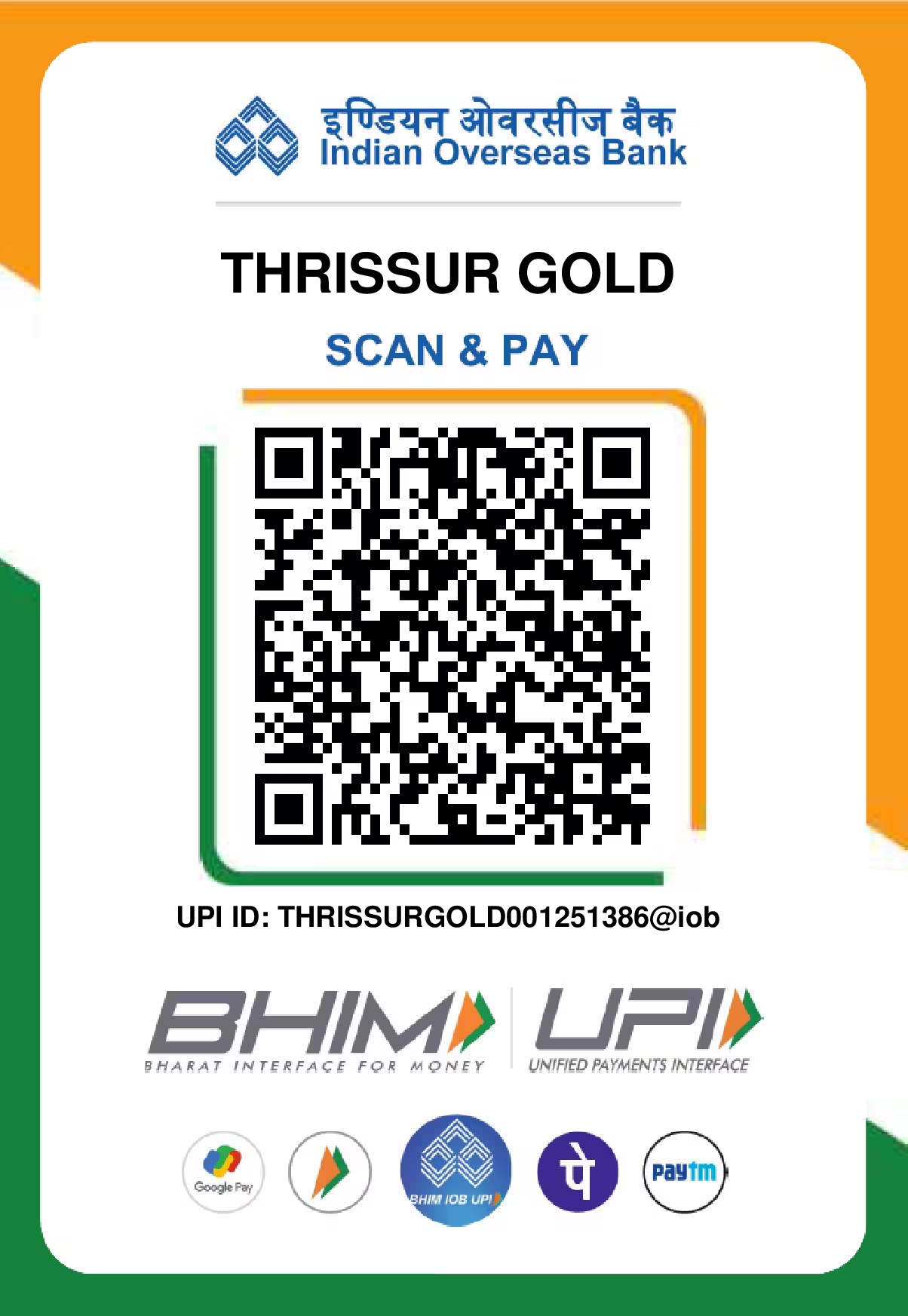
Thrissur Gold & Diamonds
Indian Overseas Bank Merchant Account for Thrissur Gold scheme instalments and customer passbook payments.
Note: Please mention your Customer Code in the UPI payment remarks.
Include Customer Code: In your UPI payment note or remarks, enter your Customer Code (e.g. 00001001) and registered phone number.
Supported Apps: Compatible with Google Pay, PhonePe, Paytm, BHIM, and any UPI-enabled mobile banking app.
Passbook Confirmation: Once processed by branch staff, your official payment receipt and credited gold weight will appear in your Digital Passbook. You may also share your payment receipt on WhatsApp at 95260 95500 for rapid confirmation.
Support Topics & Guidance
Find help for common customer passbook tasks.
Digital Passbook Access
Assistance with logging in, finding your Customer Code, or viewing your active gold scheme passbook.
Account & Login Issues
Password reset assistance, updating contact numbers, or resolving login verification inquiries.
Installments & Receipts
Verifying recorded installment payments, credited gold weight in grams, or receipt statement details.
Scheme Forms & Documents
Questions regarding the Thrissur Gold Advance Plan Application Form or Scheme Declaration terms.
Frequently Asked Questions
How do I log into my Digital Passbook?
Enter your Customer Code (or assigned Login ID) and account password on the Customer Login page. If you do not have your Customer Code, please visit or call our store branch.
Where can I view my accumulated gold weight?
Once logged into your Digital Passbook portal, your summary dashboard displays total installments paid, current scheme status, and total accumulated gold credited in grams.
What should I do if a payment receipt is not showing?
Receipts are recorded by store staff upon payment. If a recent payment is missing after 24 hours, contact our helpline at 95260 95500 with your payment receipt number.
Where can I download scheme joining forms?
Application forms and scheme declarations are available directly on our homepage under the Forms & Documents section.
Already have a customer account?
Log into your Digital Passbook to view your complete scheme statement and receipt history.